Why Your Class Resource Pages Never Show Up on Google?
You spent an evening building a beautiful resource page. A vocabulary list for your Blooket game set, a study guide for your unit on fractions, a curated collection of practice questions. You shared the link with your students, posted it on your class website, maybe even tweeted it out.
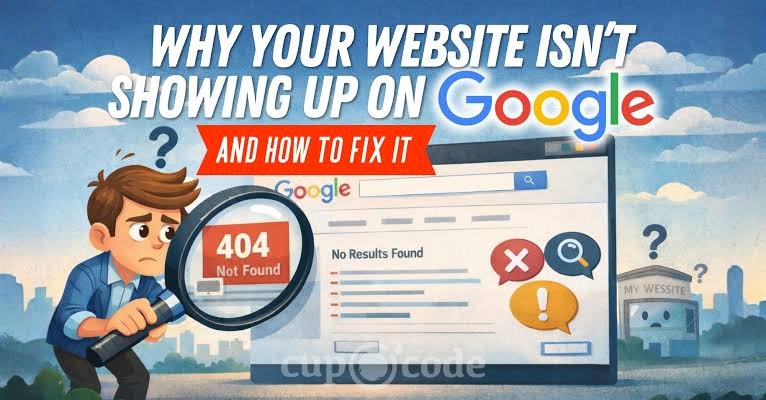
Then you type a search like “fraction review game grade 5” into Google, hoping to see your page. Nothing. You scroll. Still nothing. Your page might as well not exist.
If this sounds familiar, you are not alone. Teachers and edtech creators publish thousands of helpful pages every year that Google simply never shows. The frustrating part? The pages are good. They answer real questions. They have the right keywords. They are exactly what someone would want to find.
So why does Google ignore them?
The difference between being found and being invited
Here is the mental shift that changes everything: getting into Google is a separate step from ranking well in Google. Most people assume that if their page is good enough, Google will eventually show it. That is not how it works.
Google has to discover your page, read it, and decide to store it in its index. The index is Google’s giant library of web pages it can show in search results. If your page is not in that library, it does not matter how perfect your content is. It is invisible.
Think of it like a school library. You wrote a great book. But if the librarian never added it to the catalog, no student will ever find it on the shelf. The book exists. It is just not findable.
The status that explains everything
When your page is missing from search results, there is a specific label inside Google Search Console that tells you why. Search Console is a free tool from Google that shows you how it sees your site.
The label is called crawled, currently not indexed. It sounds technical, but it is simple. It means Google’s automated program, called a crawler, visited your page. It read the words. It understood what the page was about. Then it decided not to keep it in the index.
Your page was inspected and passed over. That is different from a page Google never visited, and it is different from a page Google found but could not read. This status means Google saw your work and still chose to leave it out.
This is the most common reason good teacher resource pages vanish into the void. You can check it yourself by logging into Search Console, opening the Pages report, and looking for that status next to your URL.
Why Google passes on good pages
Google has to be selective. There are trillions of web pages out there, and it cannot show all of them. When it decides whether to index a page, it looks for signals that the page is genuinely useful and likely to help someone.
Here is the hard truth for teacher content: most resource pages look the same to Google. A page titled “5th grade science vocabulary” is one of thousands with that exact title. Google sees a pattern. It already has plenty of similar pages from big education sites with years of history. Your new page does not stand out.
There are also technical reasons. If your page loads slowly, Google might give up before reading it fully. If your page is buried deep in your site with no links pointing to it, Google might not think it matters. If the page has very little text and is mostly images or embedded games, Google has less to understand. None of these mean your content is bad. They mean your page is not giving Google enough reason to keep it.
Fixes in honest order: free first
The good news is that you can fix this. Here is the order I recommend, starting with things that cost nothing but your time.
First, check that your page has enough text. Google needs words to understand what your page is about. If your resource page is mostly a game embed or a PDF link, add a paragraph or two of description. Write a short introduction, explain how to use the resource, and list the key concepts covered. This gives Google something to work with.
Second, link to your page from other places on your site. If you have a class website, add the resource page to your navigation menu. Link to it from your homepage. Write a blog post about how you use the game set in class and link to the resource. Google follows links, and links tell it which pages matter most.
Third, ask for a recheck. In Search Console, you can use the URL Inspection tool. Paste your page’s address, and if it shows the “Crawled- not indexed status, click the button that says “Request indexing.” Google will revisit your page. This is not a guarantee, but it costs nothing and sometimes works.
Fourth, be patient but not passive. Google can take weeks to re-crawl a page. If you requested indexing and nothing changed after a month, move on to the next step.
The fix that costs money
If you have tried the free fixes and your page still sits in the crawled not indexed state, you have one more option. Some services specialize in getting pages indexed faster and more reliably. They work by sending Google’s crawler directly to your URL through Google’s own systems, which can bypass the long wait.
One such service is run by the team at rank.fast. Their own published measurements show pages indexed within minutes on their site, with every timestamp public. The service costs money, so it is not the first thing you should try, but if a resource page matters to you and free fixes have failed, it is a legitimate option.
Conclusion
Here is what I want you to take away. A good page is not enough. Google has to decide to keep it, and that decision is based on signals you can control. Start with the free fixes. Add text, add links, request indexing. Give it time. If that fails, consider a paid service, but only for pages that truly matter to you.
Your resource pages deserve to be found. The students searching for help with fractions or vocabulary are out there. With a little attention to how Google sees your work, you can make sure your pages are at least in the library catalog, ready to be pulled off the shelf.