
Blooket Game Complete Guide to Join, Play And Host
Last Verified: August 5, 2026
Quick Answer: A Blooket game is a live, quiz-based classroom game. Players go to play.blooket.com, enter a 7-digit code from their host, and answer questions. Correct answers translate into points, building, racing, or collecting depending on the game mode. No account is needed to play; hosts (usually teachers) need a free account at blooket.com.
Blooket is an educational game platform designed to help students learn in a fun and engaging way. It combines traditional quiz-style games with exciting game modes and interactive challenges. Teachers and students can use Blooket to create custom quizzes on various subjects, making it a flexible tool for classrooms. The platform is easy to use and supports real-time gameplay, allowing students to compete and collaborate to answer questions.
What is a Blooket Game?
Blooket is a game-based learning platform where teachers turn quiz content into competitive, interactive games. A host (usually a teacher) selects a question set and a game mode, starts a session, and shares a code with players. Everyone answers the same questions, but the game mode shapes how that turns into points (collectible Blooks you can unlock), strategy, or competition, from building towers to racing to steal coins from opponents.
It’s a genuine game with real strategy and competition, but its core purpose is educational: reinforcing knowledge across any subject through active participation instead of passive review.
How to Make a Blooket Account?
To host or create your own games, you’ll need a free account. Joining as a player doesn’t require one. Skip to “How to Join a Blooket Game” below if that’s all you need.
- Go to blooket.com.
- Click “Sign Up” in the top right corner.
- Choose “Sign up with Google” or enter your email and password.
- Select whether you’re a student or a teacher.
- Accept the terms and click “Create Account.”
How to Play a Blooket Game?
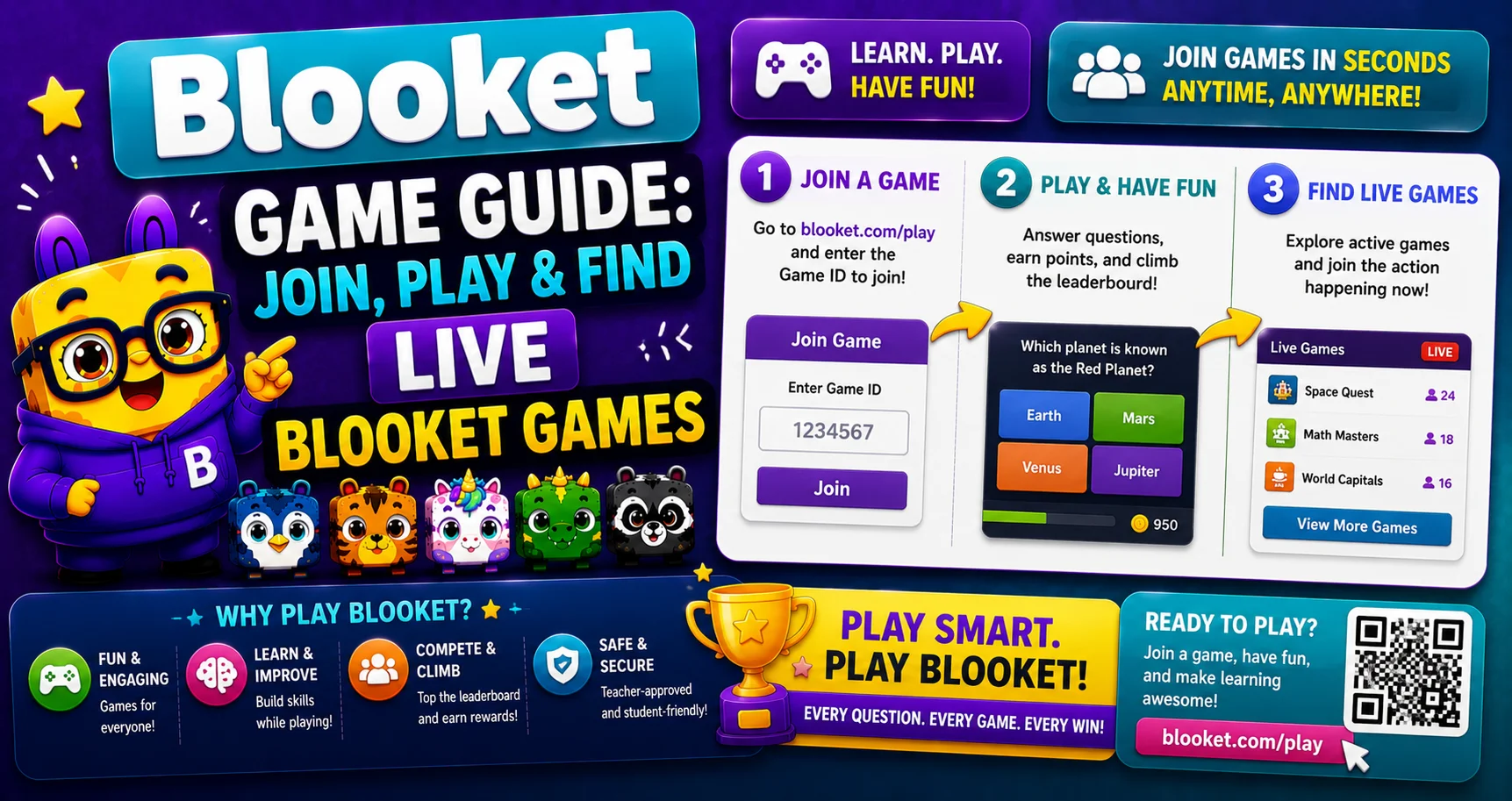
To join a live game through Blooket Play, follow the steps below:
- Join — Get the game code from your host, go to play.blooket.com, and enter it. No account is required to join as a player.
- Answer questions — You’ll work through a series of questions on whatever topic the host has set up.
- Engage with the game mode — Each mode turns correct answers into a different in-game action: building, racing, collecting, or competing, depending on which mode the host chose.
- Finish — The game ends when questions run out or time expires. Scoring is based on speed and accuracy, and the player (or team) with the most points wins.
How to Join a Blooket Game?
- Visit play.blooket.com.
- Enter the code your host shared.
- Choose a display name and Blook character.
- Click Join to enter the live game.
Joining without a code: If your host shares a direct join link instead of a code, clicking it takes you straight in. The code is embedded in the link.
Joining after a game starts: This depends entirely on the host’s settings. Some game modes and host configurations allow late joins; others lock once the session begins. Check with your host if you’re unsure.
How to Host or Create a Blooket Game?
The process is the same whether you’re a teacher, a student hosting for classmates, or hosting from mobile — only the context changes, not the steps:
- Log in at blooket.com (or use guest/host without an account mode for a quick one-off session).
- Choose your content — select a pre-made question set from Blooket’s library, create your own custom set, or import questions directly from Quizlet.
- Pick a game mode — match it to your goal: strategy-focused modes like Tower Defense work well for deeper engagement, while faster modes like Gold Quest suit quick review sessions.
- Click Host — this generates a unique game code automatically.
- Share the code with your players.
- Click Start once everyone has joined.
Once live, the host can monitor player progress in real time and pause the session if needed.
Blooket Game Modes (Complete List)
According to the official platform, Blooket offers over 25 different game modes across live, solo, and homework play. Here’s the complete, current breakdown:
Available in Live, Solo, and Homework Modes
- Tower Defense — Build and upgrade towers to defend against waves of enemies. Best for strategy-minded players.
- Tower Defense 2 — An updated version of Tower Defense with expanded mechanics.
- Factory — Manage a production line, using correct answers to keep it running and upgrade output.
- Cafe — A more relaxed mode where players serve customers by answering questions correctly, well-suited to collaborative or group settings.
- Monster Brawl — Battle a series of monsters using correct answers as attacks.
- Zorblitz — A fast-paced action mode with its own scoring mechanics.
Hosting-Only Modes (Live Games)
- Gold Quest — Correct answers earn gold from treasure chests, with a chance of stealing from or losing to other players.
- Candy Quest / Shamrock Quest — Seasonal, themed versions of Gold Quest.
- Battle Royale — Answer incorrectly, and you’re out. Last player standing wins — built for speed and pressure.
- Racing — A straightforward speed mode: answer correctly and quickly to win the race.
- Classic — The simplest mode; points only, no Blook gameplay layer.
- Crypto Hack — Correct answers let you “mine” or steal crypto coins from opponents. Similar energy to Gold Quest, themed differently.
- Fishing Frenzy — Cast a line with every correct answer and reel in fish worth different token values.
- Deceptive Dinos — Mixes learning with guessing and light deception mechanics.
- Blook Rush — A rapid-fire collection mode.
- Santa’s Workshop — Seasonal holiday-themed mode.
Solo or Homework-Only Modes
- Crazy Kingdom — Build and expand a kingdom with correct answers; designed for solo or homework-style play.
- Study — A no-frills, repetition-focused mode built for self-review.
- Pirate Pool — Solo-focused, casual gameplay.
- Plushie Panic — Solo/homework collection-style mode.
Blooket Plus-Only Modes
- Egg Hunt, Laser Tag, Coco Cabana (also called Cocoa Cottage), Busy Bees, Mini Mine, Star Grazer, and Tag or Treat (currently in beta). All exclusive to Blooket Plus subscribers. See our Free vs. Plus comparison for what else Plus unlocks.
Blooket adds and retires seasonal modes periodically, so check your dashboard’s mode selector for the exact current lineup.
Source: verified from Blooket’s official Game Mode Previews documentation.
Tips to Play Well
There’s no way to guarantee a win, but a few things genuinely help:
- Read before you answer. Speed matters, but a wrong fast answer costs more than a correct, slightly slower one.
- Match the mode to your strengths. If you prefer steady, methodical play, Tower Defense or Factory suit that better than Battle Royale.
- Practice regularly. Familiarity with question formats and pacing genuinely improves performance over time.
On “hacks,” bots, or crashing games: Blooket doesn’t have a legitimate hack system, and using bots or attempting to disrupt a session violates the platform’s terms of service. It can get an account suspended and ruin the experience for other players.
If you run into technical issues (loading problems, unresponsive codes), that’s usually a connection or browser issue, not something to “fix” by circumventing the platform. Try refreshing, clearing your cache, or switching browsers first.
Blooket Coins and Tokens
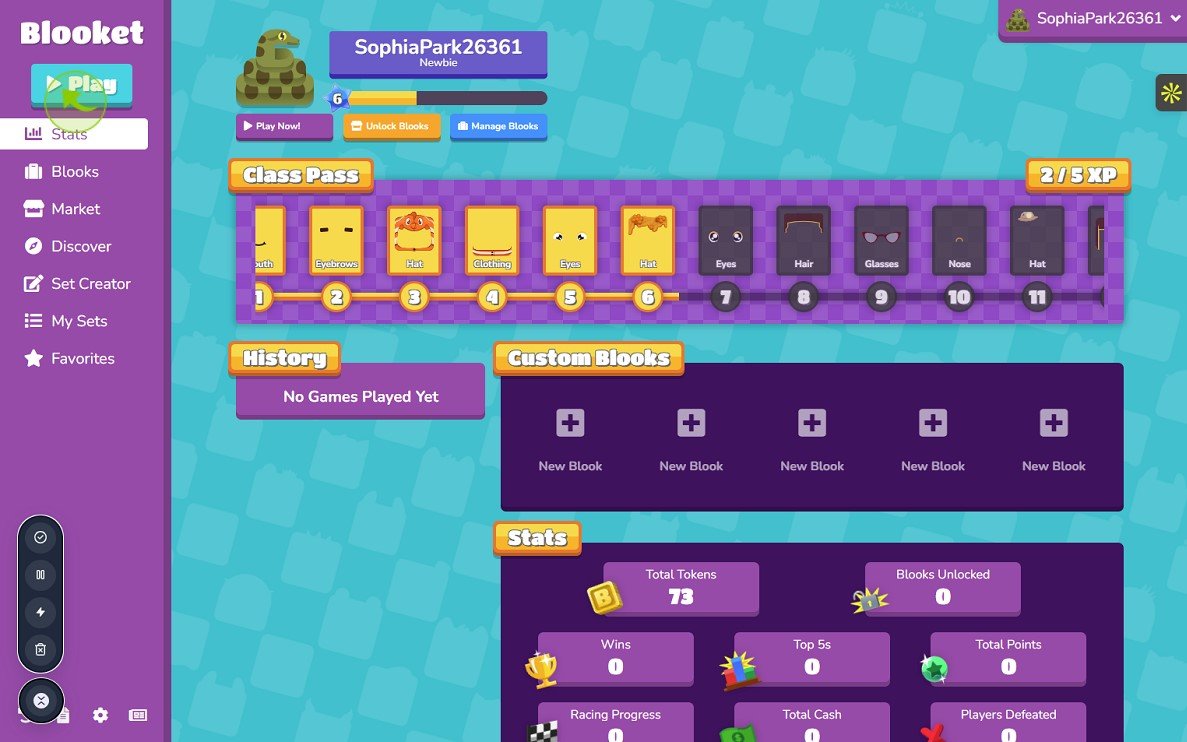
Coins and tokens are Blooket’s in-platform currency, earned primarily by answering questions correctly during games. They’re used to unlock new Blook characters and cosmetic items in the Market. The most reliable way to earn them is simply through regular gameplay modes with continuous play or multiple rounds, like Factory and Gold Quest, which tend to offer more opportunities to accumulate them over a session.
Why Use Blooket for Learning?
Blooket turns traditional quizzes into engaging, competitive learning games, making it well suited to both classrooms and remote learning. Its main strength is how it combines education with gameplay. Students answer questions in a fast-paced, engaging environment, which helps sustain attention and participation.
Teachers benefit from Blooket’s flexibility:
Teachers can build their own quiz sets, use ready-made ones from the public library, or import existing sets from Quizlet. With dozens of game modes available, the same question set can be replayed in a different format without feeling repetitive.
Benefits:
- Increases student attention and participation
- Tracks individual and class-wide performance
- Works across subjects and grade levels
- Offers both live, timed sessions and self-paced homework mode
Blooket Alternatives
If you’re exploring options beyond Blooket, a few other platforms offer similar game-based learning:
- Kahoot! — The most widely used alternative, built around fast-paced live quizzes.
- Quizizz — Similar quiz format with strong support for self-paced, asynchronous play.
- Gimkit — Uses an in-game currency system that players spend on power-ups, adding a strategic layer.
- Quizlet Live — Team-based rather than individual, built around collaborative answer-matching.
Each has a different focus. Blooket and Gimkit lean toward game techniques and strategy, while Kahoot and Quizizz stay closer to an easy quiz format.
Troubleshooting Common Issues
- Game won’t load: Check your internet connection, refresh the page, or clear your browser cache.
- Code or pin not working: Double-check for typos, confirm the session is still active with your host, and try a different browser if the issue persists.
- Can’t log in: Verify your credentials are correct, and use the “Forgot Password” option if needed. See our full login guide for details.
For unresolved issues, Blooket’s own support channels at blooket.com are the most reliable source. For more information, see Blooket’s Help Center for complete documentation.
Conclusion:
A Blooket game combines real quiz content with genuine game techniques, strategy, speed, or collaboration, depending on the mode. Whether you’re joining a class session, hosting your own game, or exploring which of the 25+ modes fits your learning style best, the process is quick and doesn’t require heavy setup.
Most issues come down to a simple fix: refresh, double-check your code, or confirm the session is still live with your host. For how Blooket works overall, see our complete Blooket overview.
FAQs About Blooket Game
How do I join a live Blooket game?
Get the code or link from your host, visit play.blooket.com, enter it, and click Join.
What should I do if my code isn’t working?
Double-check for typos, refresh the page, and confirm with your host that the session is still active.
Can I find active Blooket games to join on my own?
Not reliably. Blooket doesn’t publish a public list of live game codes. The most reliable way to join is to get the code directly from whoever is hosting.
How do I pause a game I’m hosting?
Use the pause option in your host control panel during the live session.
How do I earn Blooket coins?
Primarily by answering questions correctly during games; continuous-play modes like Factory and Gold Quest tend to offer more earning opportunities.
How many game modes does Blooket have?
Over 25, spanning live-only, solo/homework-only, and modes available in all formats, plus several exclusive to Blooket Plus.
Is Blooket free?
Yes. The free Starter plan covers unlimited question sets and live games up to 60 players.
Disclaimer
BlooketApp.com is an independent website and is not owned by, operated by, or affiliated with Blooket or its official creators. For the actual game, visit the official site at blooket.com.
Author
Written by Lucas Harry, a content writer who tests Blooket’s features firsthand before publishing this guide.