Understanding Mastery Mode in Blooket Curriculum: Complete Student Guide
Last verified: August 18, 2026
Quick Answer: Blooket Mastery Mode is a progress-tracking system exclusive to Curriculum question sets. It remembers your correct answers, builds a mastery percentage over time, and saves automatically when you end a session with the checkered flag. It doesn’t work with regular user-created sets or homework assignments.
Blooket Mastery Mode in Curriculum
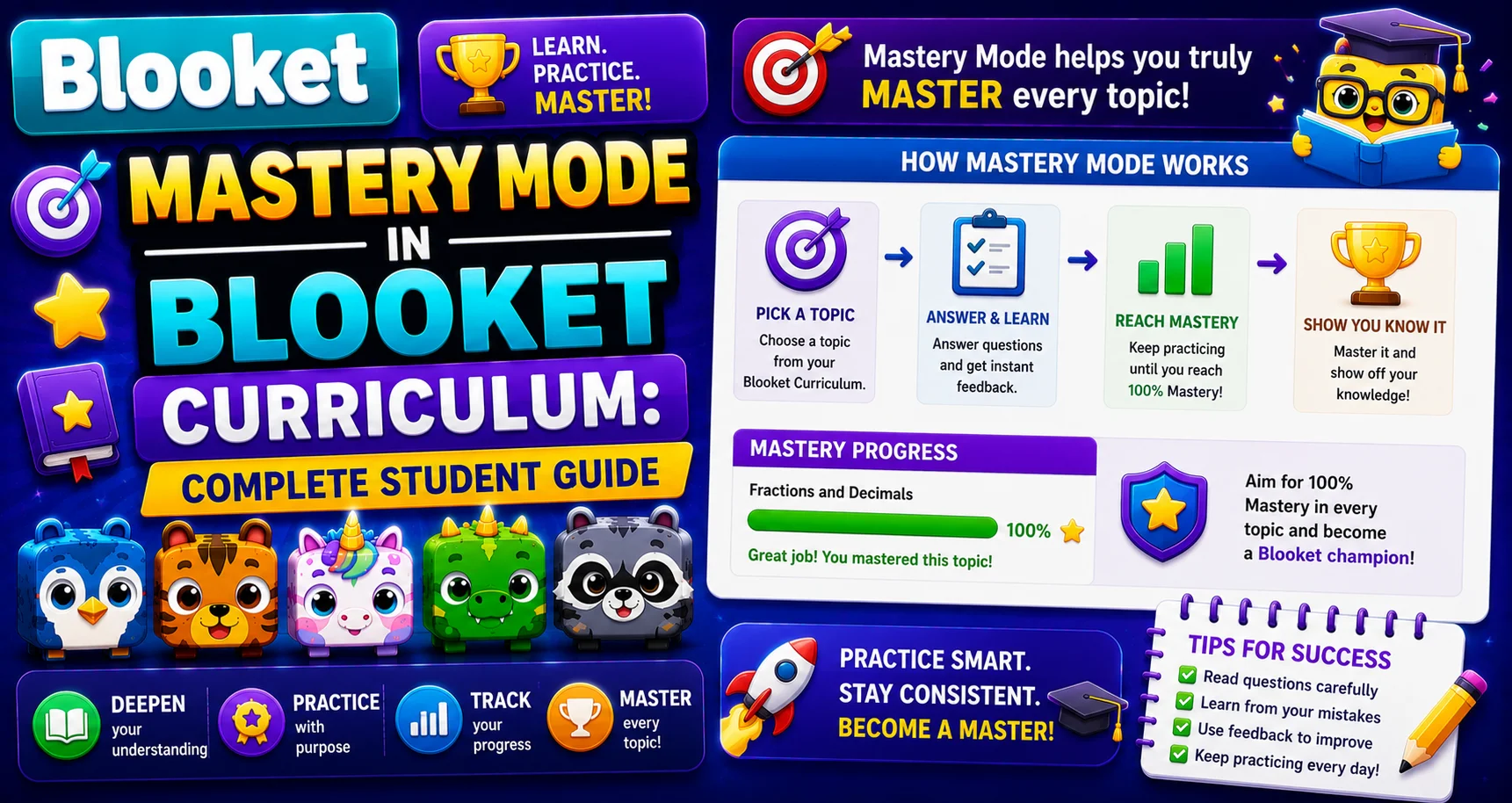
Blooket Mastery Mode is a progress-tracking system for Curriculum question sets. Instead of starting from scratch every session, Mastery Mode remembers how many questions you’ve answered correctly and builds your mastery percentage over time. You can end a session whenever you want; your progress is saved automatically, and you pick up exactly where you left off next time. Learn more about Mastery Mode in Blooket Curriculum in this guide.
📌 Important: Mastery tracking only applies to Blooket Curriculum sets, not to regular user-created question sets.
Full Overview About → Blooket Game Modes for Students
What Are Blooket Curriculum Sets?
Curriculum sets are question sets created and organized by Blooket’s content team, grouped by subject and grade level. You’ll find them under Discover, then Curriculum. They cover subjects such as Math, Science, ELA, and Social Studies, and align with standard educational topics.
Curriculum sets differ from the millions of user-created sets on Blooket. They are curated, grade-aligned content designed for self-paced learning. Only Curriculum sets support Mastery Mode.
Learn More About → Blooket Question Sets for Students
How to Access Blooket Mastery Mode?
Mastery Mode is found in the Curriculum section of Blooket, the platform’s library of verified, expert-reviewed question sets organized by subject and grade level.
Steps to access Blooket Mastery Mode:
- Log in to your Blooket account.
- From the dashboard, click Discover.
- Select Curriculum from the tabs or navigation.
- Choose your subject and grade level.
- Browse units and select a set.
- On the set’s preview page, look for the Mastery Mode option.
- Click it to begin a personalized practice session.
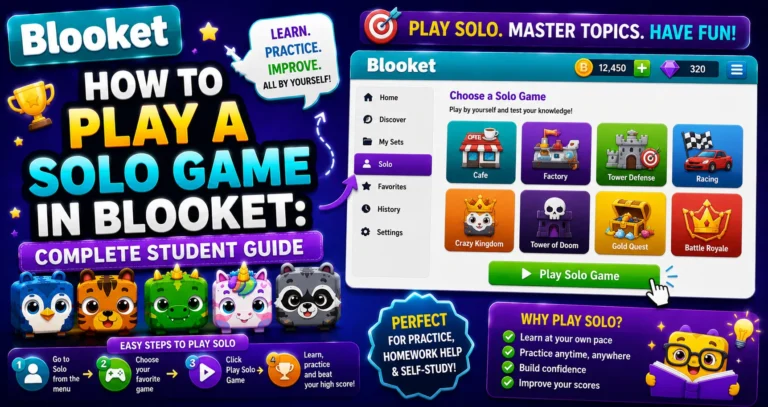
Solo Practice Guide → How to Play a Blooket Solo Game
How to Start a Mastery Session?
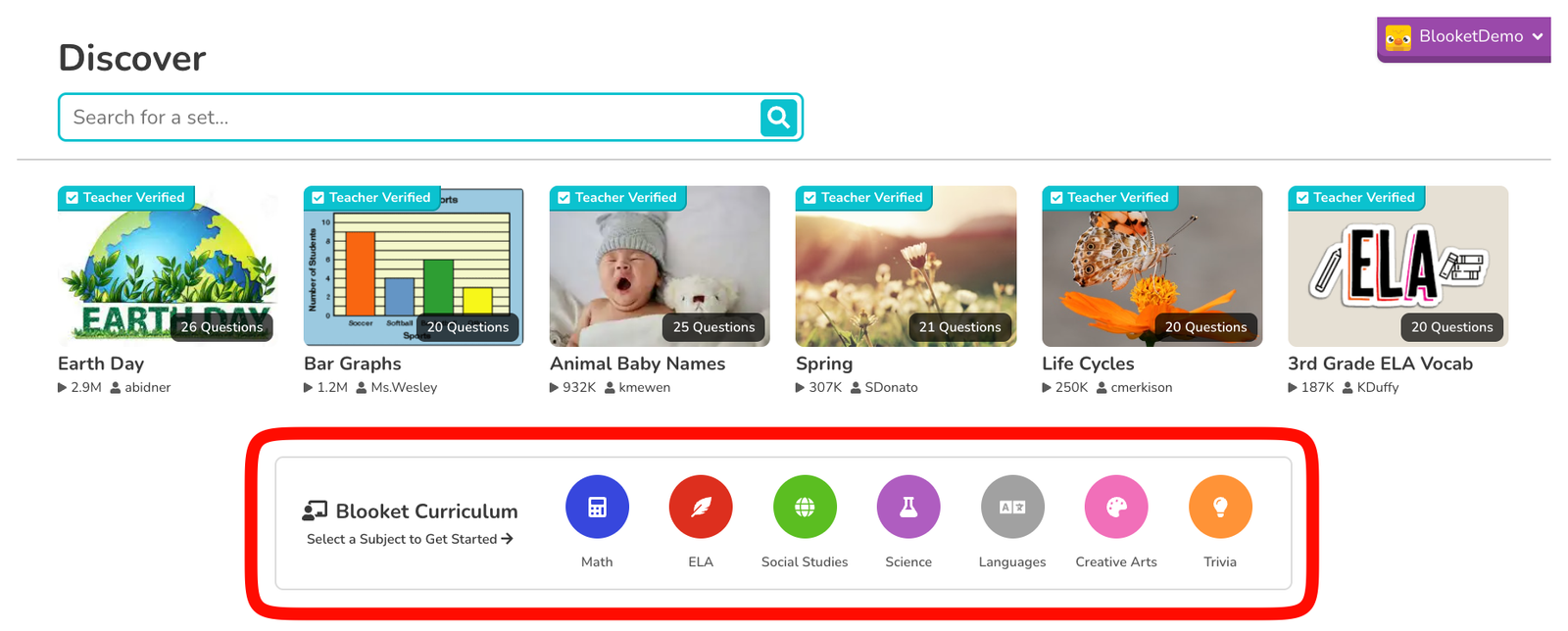
- Go to the Discover page on Blooket, then click into the Curriculum section by selecting a subject.
- Click into the Curriculum section by selecting a subject.
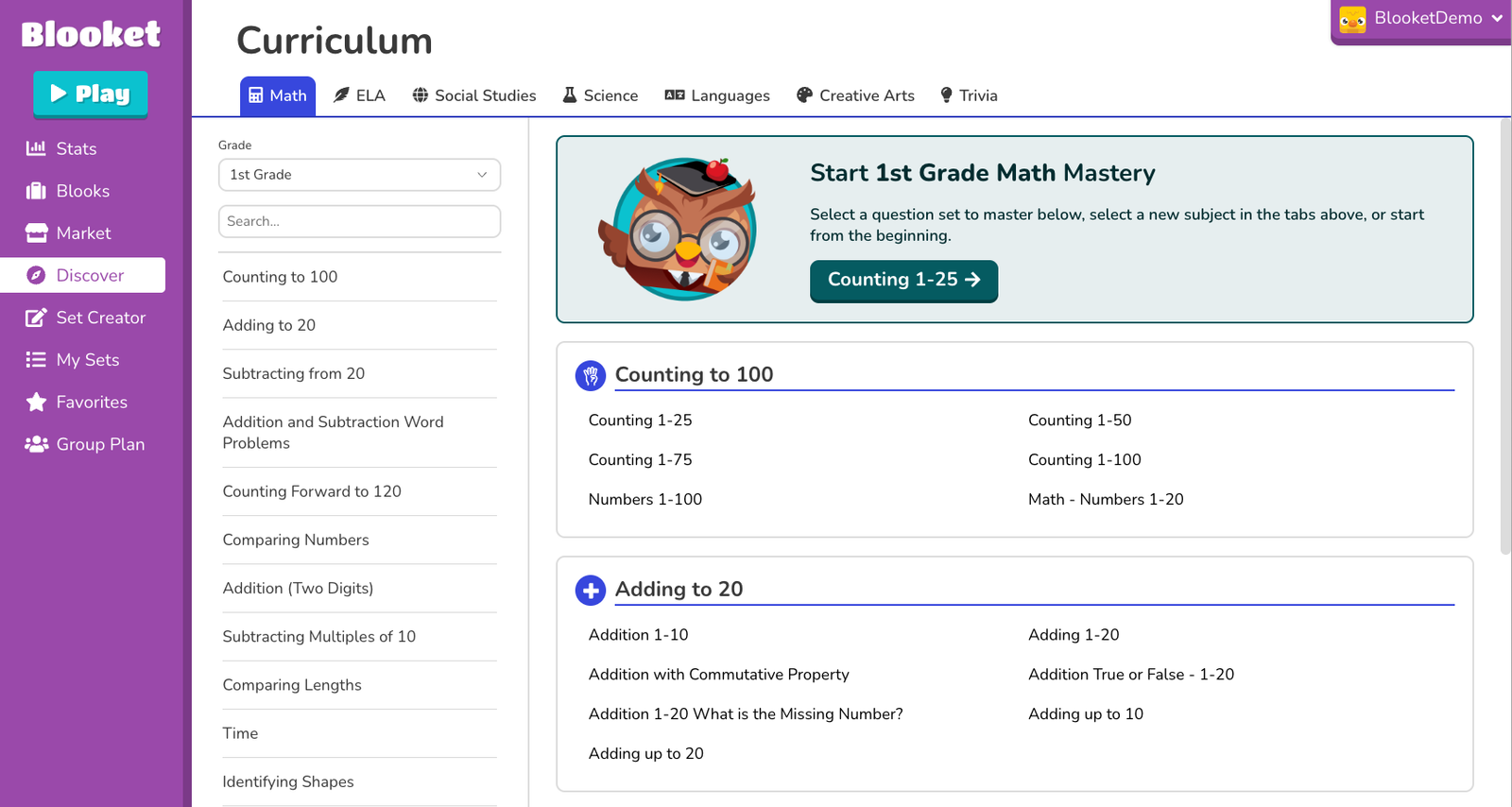
- Choose a question set, or pick up where you left off by clicking the “Continue” button at the top of the page.
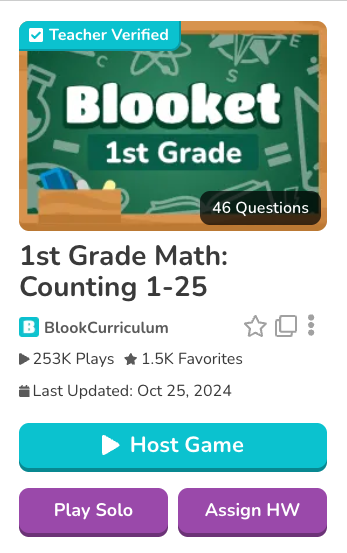
- Click Play Solo. Your mastery progress will now be tracked automatically as you play.
Source: verified from Blooket’s official Mastery Mode documentation.
How Mastery Progress Works
Mastery Mode tracks your cumulative performance across all the questions in a set:
- Your mastery percentage increases each time you answer a question correctly.
- Progress is tracked in real time and visible while you play.
- Progress is saved when you click “End Now” (the checkered flag icon); closing the browser without properly ending the game may not save your session.
- You don’t need to finish a set in one sitting; even a 10-minute session adds to your overall mastery.
⚠ Always end your game with the checkered flag. Closing the browser tab directly without selecting “End Now” may not save your mastery progress. Always use the in-game end option to make sure your session is recorded.
How to Continue Where You Left Off?
- Return to the Curriculum page on Blooket, or navigate directly to play.blooket.com/solo.
- Find the set with your saved progress. It will show your current mastery percentage.
- Click Play Solo to resume from your previous progress.
How to View Your Mastery Progress?
You can check your mastery in two places:
- On the Curriculum page: Each set you’ve started shows a mastery percentage directly on the set card.
- When selecting a set in Solo mode: Hover over a set to see a detailed mastery breakdown before you start.
What Does Your Progress Look Like?
As you play in Mastery Mode, you’ll see a progress indicator showing how many questions in the set you’ve mastered. Your goal is to reach 100% mastery, meaning every question answered the required number of times correctly. If you leave and come back, your mastery progress is saved, and you can resume from where you left off.
What Happens When You Reach 100% Mastery?
Reaching full mastery of a Curriculum set unlocks a completion milestone:
- A completion modal appears to mark the achievement.
- You can switch to a new question set immediately without leaving the game interface.
- Your mastery achievement is recorded for that set.
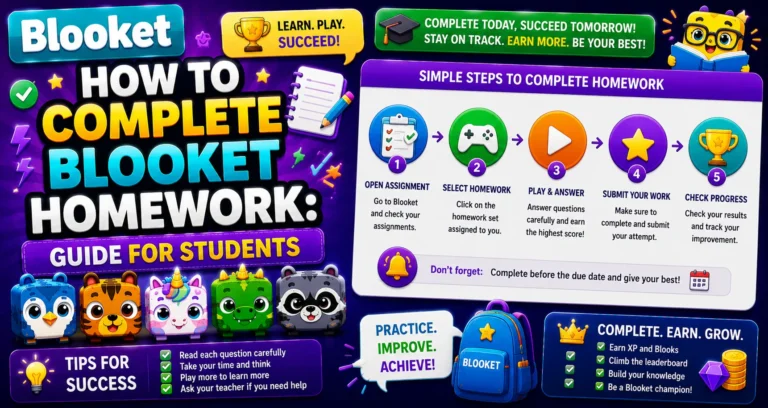
Mastery Mode vs. Homework: Key Differences
Students sometimes confuse Mastery Mode with homework assignments. Here’s how they’re different:
| Features | Mastery Mode (Solo) | Homework Assignment |
| Progress saved between sessions | Yes | No |
| Works with Curriculum sets | Yes | Yes |
| Teacher can see your results | No | Yes |
| Completion goal set by | You (100% mastery) | Your teacher |
| Earn XP & tokens (logged in) | Yes | Yes |
| Available without a due date | Yes, anytime | Teacher’s link required |
Learn More in Detail → How to Complete Homework in Blooket
What Makes Mastery Mode Different?
In every other Blooket game mode, questions cycle through the set at a consistent pace, whether you got them right or wrong. Mastery Mode is smarter:
- Questions you answer correctly appear less frequently, since the system assumes you’ve got that one down.
- Questions you answer incorrectly appear more frequently, since the system keeps bringing them back until you demonstrate consistent accuracy.
- You “master” a question when you answer it correctly multiple times in a row.
The result: you spend more time on the content you actually need help with and less time on content you already know.
When to Use Blooket Mastery Mode?
Mastery Mode is most effective for:
- Test prep: Spending focused time on exactly the content you don’t know yet.
- Vocabulary and fact-based subjects: Math facts, science terms, historical dates, and language translation.
- Self-directed study: Playing on your own to genuinely improve, not just to hit a Correct Goal.
Tips for Getting the Most Out of Mastery Mode
- Play in shorter, regular sessions rather than one long sitting; 10 to 15 minutes daily adds up fast and is scientifically more effective for retention.
- Always end the game with the checkered flag to make sure your progress is saved.
- Start with subjects you’re actively studying in class to reinforce what you’re already learning.
- Hover over sets before starting to preview your mastery breakdown and decide which set to continue.
- Try a different game mode if you’re feeling bored; the same progress tracks across all modes.
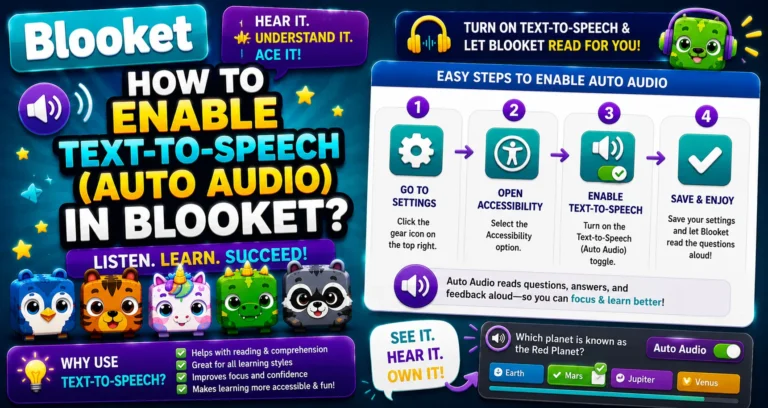
- Enable Automatic Audio if you find certain questions hard to read quickly.
Step-by-Step Complete Guide → How to Enable Audio (Text-to-Speech) in Blooket
Where to Go Next
- Want to know more about the platform? See our full Blooket guide
- Curious about what your teacher sees? Visit the Blooket For Teachers
- Want the full student guides overview? See the Blooket For Students
Have another question? Please check the Frequently Asked Questions or Blooket Help Center.
Frequently Asked Questions
What’s the difference between a mastery percentage and a regular game score?
A regular Solo game score only reflects your performance in that one session; it resets each time you start a new game. Mastery percentage is a cumulative measure across all your sessions with a specific Curriculum set, tracking how much of the total question set you’ve answered correctly over time.
Does completing homework count toward my mastery percentage?
No. Mastery progress is only tracked and saved during Solo gameplay with Curriculum sets. Homework sessions, even when they use the same Curriculum set, do not contribute to your mastery percentage.
Does Mastery Mode work with all question sets?
No. Mastery Mode only works with Blooket Curriculum sets, not with user-created sets. If you play a non-Curriculum set in Solo mode, your performance won’t be tracked for mastery.
Can my teacher see my mastery percentage?
Mastery Mode is a personal learning tool; your mastery progress is not automatically shared with or reported to your teacher. Teachers can see homework completion results, but not Solo mastery data.
Can I reset my mastery progress to start over?
There is currently no manual reset option for Mastery Mode. Your progress continues to build with each session and will only go up over time as you answer more questions correctly.
What happens if I close the browser without ending the game properly?
Your mastery progress for that session may not be saved. Always click “End Now” (the checkered flag icon) rather than closing the tab directly to ensure your progress is recorded.
Can I switch game modes and keep my mastery progress?
Yes. Mastery progress tracks at the question-set level, not the game-mode level, so switching to a different mode within the same Curriculum set does not reset your progress.