Blooket Blooks Page Overview: Complete Guide for Students
Last verified: August 19, 2026
Quick Answer: The Blooks page shows your full collection, Blook Score, and rarity breakdown in one place. It has three main sections: a summary with your score and rarity gems, a sell interface with quick-quantity buttons, and display options to hide free Blooks or switch between pack and grid views.
Blooket Blooks Page Overview For Students
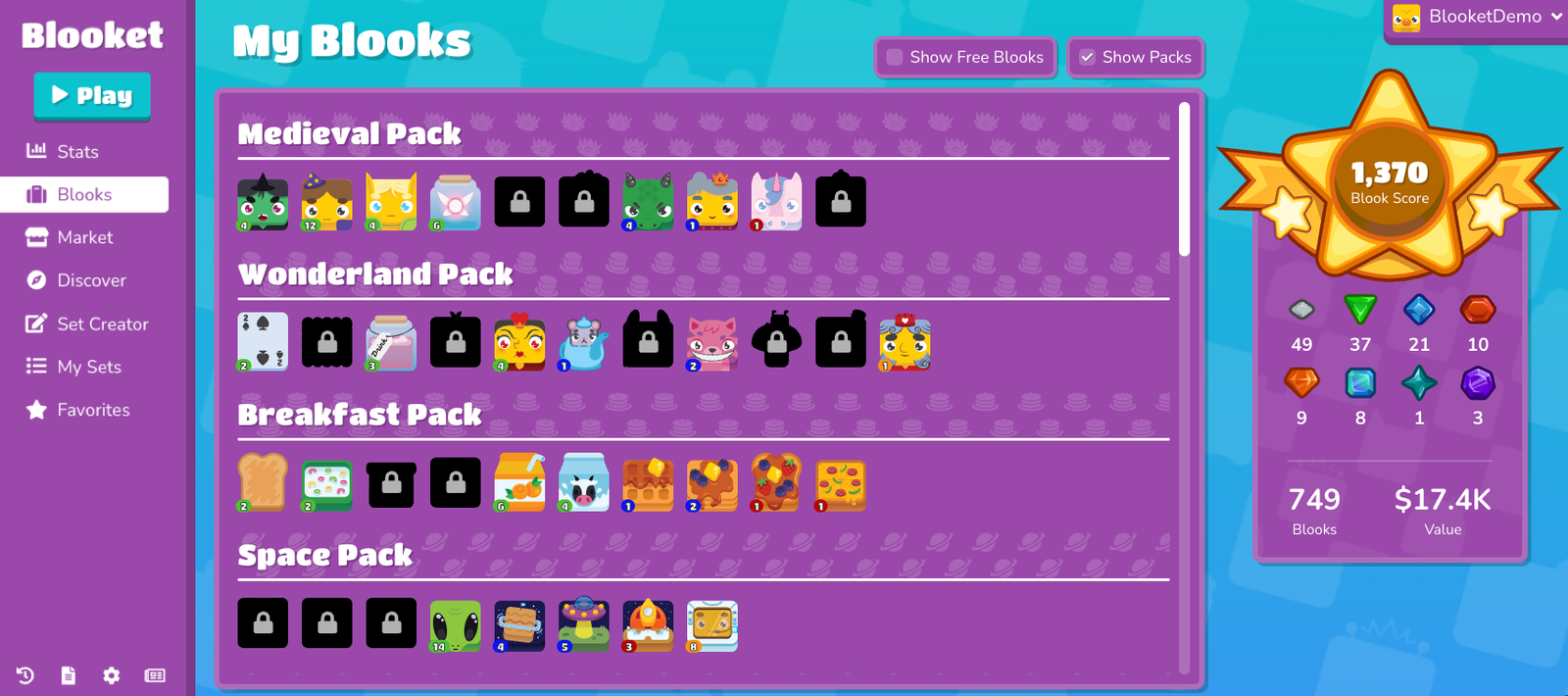
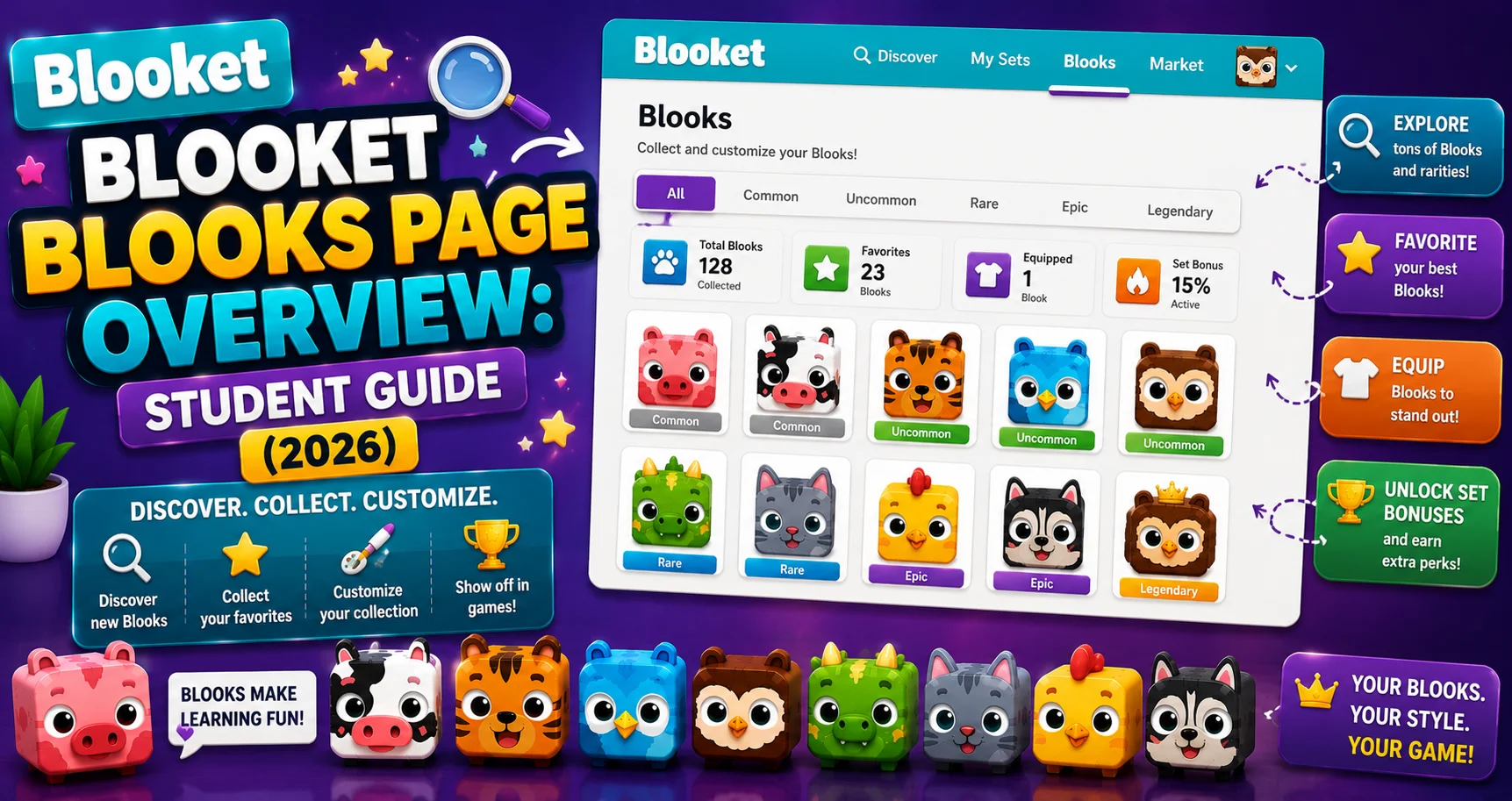
The Blooket Blooks page is your personal Blook collection hub, the place where you see every Blook you own, track your Blook Score, manage duplicates, and control how your collection is displayed.
The Blook page has been updated to offer enhanced features, streamlined Blook management, and a new Blook Score. This number reflects the variety and rarity of your Blook collection.
Complete Overview → Blooket Blooks Collection for Students
How to Access the Blooks Page?
From your Blooket dashboard, click Blooks in the left-hand navigation (for students, it’s in the main navigation bar). It opens your My Blooks screen.
Section 1: My Blooks Summary
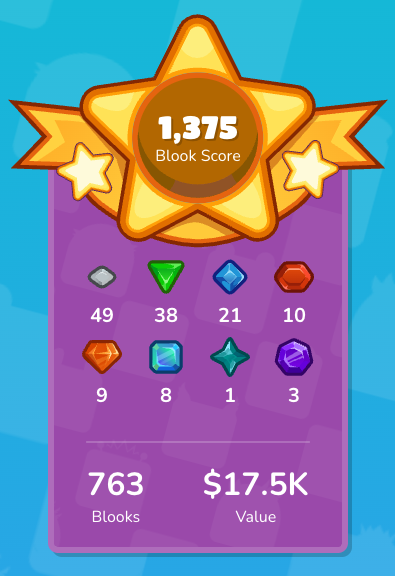
The top of the Blooks page gives you a snapshot of your entire collection.
1. Blook Score
Your Blook Score reflects the diversity and rarity of your Blook collection. A higher score indicates a more varied and rare assortment of Blooks; duplicate Blooks don’t count towards your Blook Score.
Unique banner styles and levels (Bronze, Silver, Gold, Platinum, and Diamond) will be displayed as your Blook Score increases or decreases.
What this means for collectors: Pulling the same Uncommon Blook 10 times adds only 1 to your Blook Score; the other 9 are invisible to it. The path to a high score is collecting new, unique Blooks, especially rare ones. Sell your duplicates and reinvest those tokens in more packs.
Blooks of the same rarity can have different values. So, if you have two Chromas with different values, the more valuable Chroma will result in a higher overall Blook Score. Within the same rarity tier, some individual Blooks are worth more to your score than others; keep the higher-value one if you ever need to decide what to sell.
2. Blook Rarity Gems
 | Common |
 | Uncommon |
 | Rare |
| Epic |
| Legendary |
| Chroma |
| Unique |
| Mystical |
A row of colored gems gives you a visual breakdown of your collection by rarity tier. The eight gems represent:
- Common
- Uncommon
- Rare
- Epic
- Legendary
- Chroma
- Unique
- Mystical
Each gem fills based on how many Blooks of that rarity you own, a quick way to see where your collection is strong and where you still have room to grow.
3. Collection Overview
- Total Blooks: The total number of Blooks you own, including all duplicates. This number is always greater than or equal to your unique Blook count.
- Collection Value: The cumulative value of your Blooks, what your entire collection would be worth if sold for tokens.
Source: Verified from Blooket’s official Blooks Page Overview documentation.
Section 2: Selling Blooks from the Page
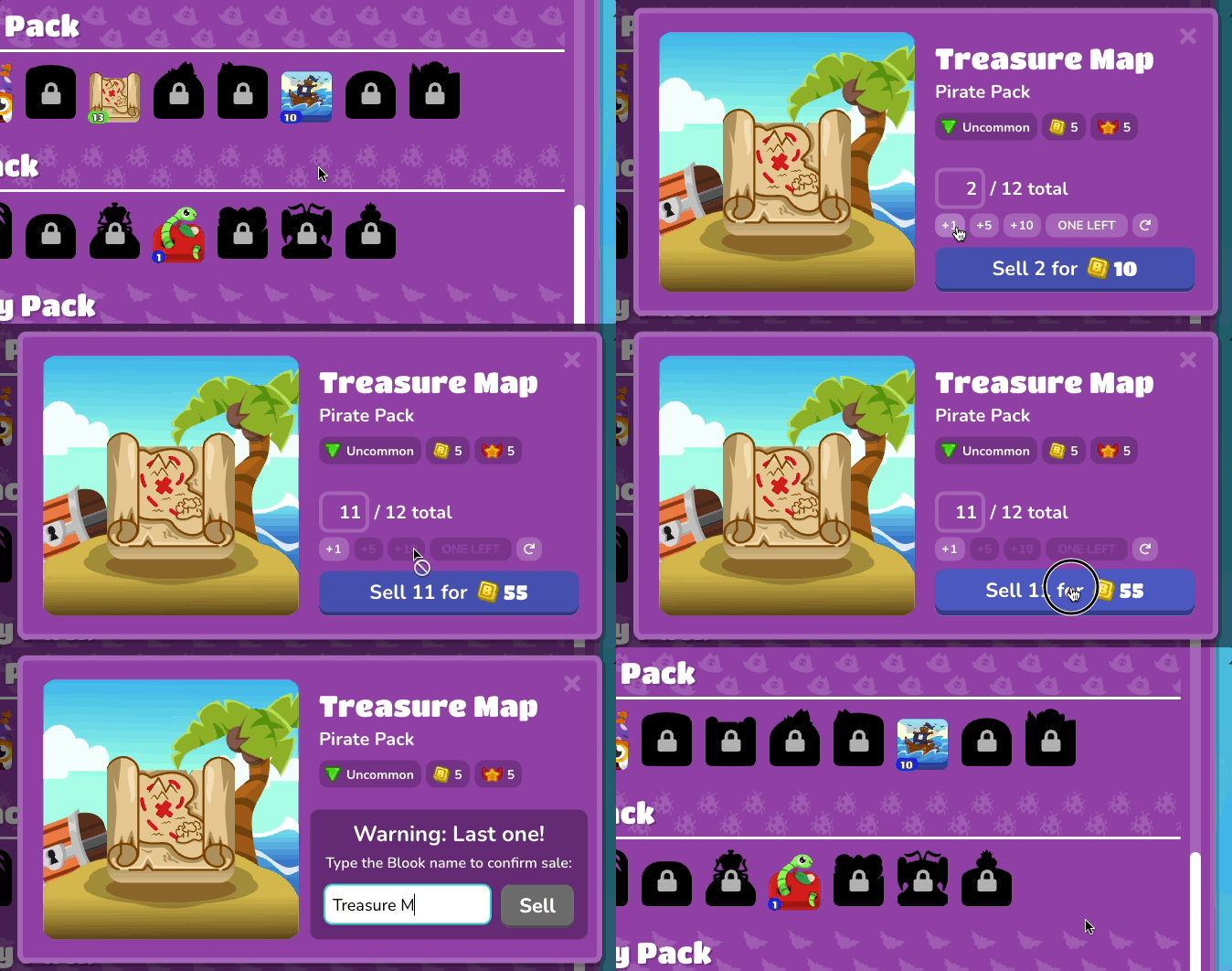
Click on a Blook to view its details. A modal window opens showing the Blook’s Name (official name), Pack (which pack family it belongs to), Rarity (tier based on drop rate), Sell Price (tokens received for selling), and Blook Score (score contribution based on rarity).
Sell Button Options
To sell multiple Blooks: the +1 Button increases the quantity by 1; the +5 Button increases the quantity by 5; the +10 Button increases the quantity by 10; the One Left Button retains a single Blook and sells the rest of the duplicates; Custom Quantity lets you enter a custom number; and Reset Values clears all values in the sell window.
The One Left button is the safest option for selling duplicates. It automatically keeps exactly one copy of that Blook for your Blook Score while converting all extras to tokens. Use it whenever you want to clean up duplicates without risking the accidental sale of your last copy.
⚠️ A confirmation prompt will appear before selling the last Blook. You will need to type the Blook’s full name and select Sell before selling. This will ensure that fewer Blooks are sold by mistake, but please be cautious, as sold Blooks cannot be recovered.
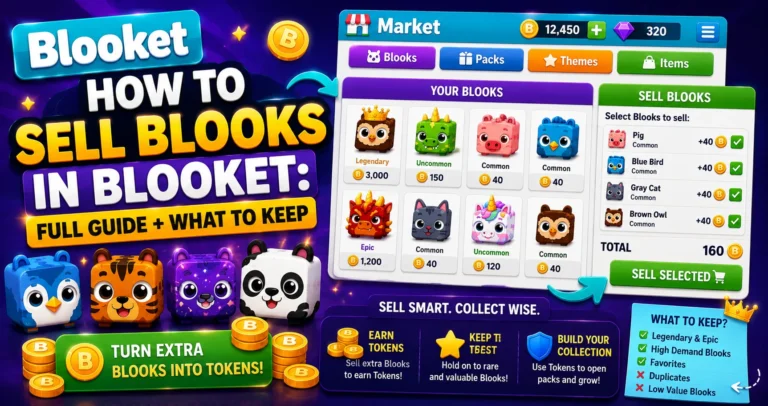
Blooks Selling Guide → How to Sell Blooks in Blooket
Section 3: Display and Organization Options
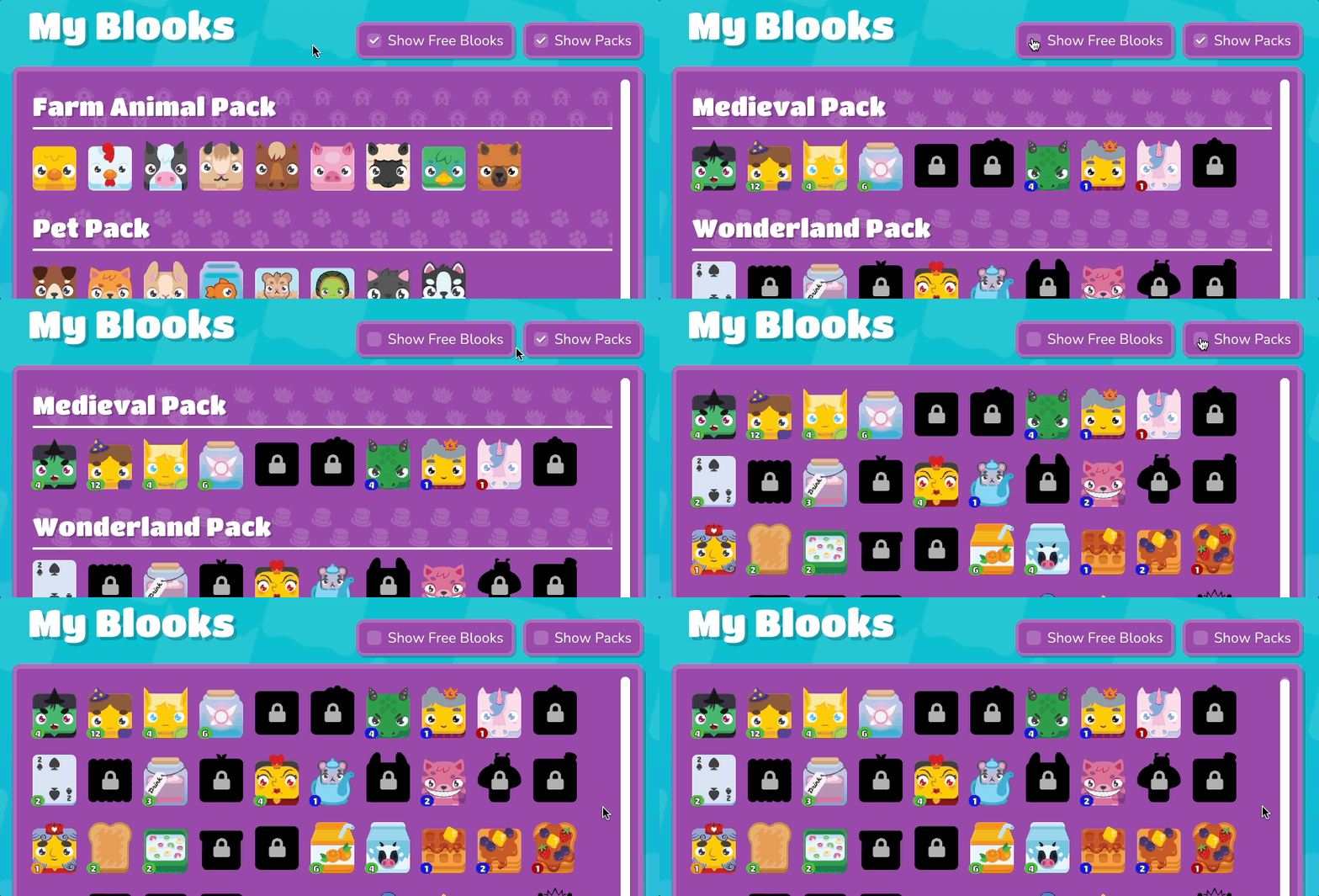
→ Customize how your Blooks are displayed: the Hide/Show Free Blooks toggle controls the visibility of free Blooks in your collection. Organize by Packs or Grid lets you choose to view Blooks grouped by their original packs or in a grid layout without titles.
→ Hide Free Blooks is especially useful as your collection grows. The 49 free Common Blooks are available to every player by default and don’t represent personal collecting effort. Hiding them lets you browse your actually-earned collection without the noise.
Pack view is useful for seeing which packs you’ve drawn from most and what’s still missing. Grid view gives a cleaner, uncluttered overview of your full collection.
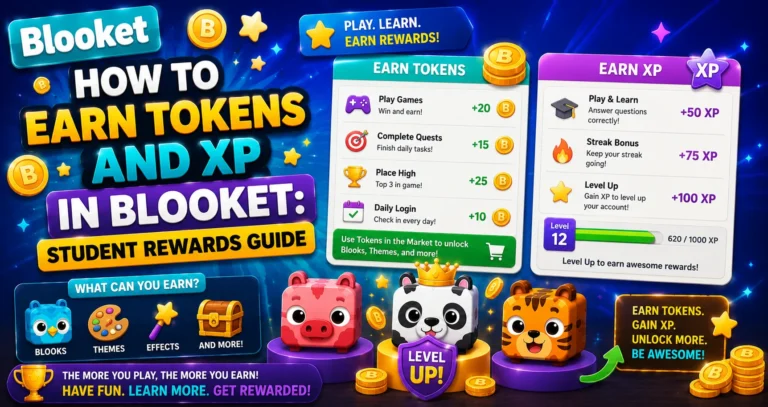
Step-by-Step Guide → How to Earn Tokens and XP in Blooket
Open packs in the Market → How to Collect Blooks in Blooket
Where to Go Next
- Want to know more about the platform? See our Blooket guide
- Curious about what your teacher sees? Visit the Blooket For Teachers
- Want the full student guides overview? See the Blooket For Students
Have another question? Please check the Frequently Asked Questions or Blooket Help Center.
Frequently Asked Questions
What does a higher Blook Score mean?
It means a more varied and rare collection. Duplicate Blooks don’t count toward the score, so the score reflects unique, rare Blooks you’ve collected, not raw quantity.
How many rarity gems are shown on the Blooks page?
Eight: Common, Uncommon, Rare, Epic, Legendary, Chroma, Unique, and Mystical. Each gem fills based on how many Blooks of that rarity you own.
What’s the safest way to sell duplicate Blooks?
The One Left button. It automatically keeps exactly one copy of a Blook for your Blook Score while converting all extra copies into tokens, so you never risk accidentally selling your last copy.
Why does Blooket require typing the Blook’s name before selling the last copy?
It’s a safeguard against accidental sales, since sold Blooks cannot be recovered. Typing the full name before confirming ensures the sale is intentional.
Should I hide free Blooks on my Blooks page?
It’s a helpful option once your collection grows. The 49 free Common Blooks are available to everyone by default and don’t reflect personal collecting effort, so hiding them lets you focus on what you’ve actually earned.
What’s the difference between Pack view and Grid view?
Pack view groups your Blooks by their original pack, making it easy to see which packs you’ve drawn from most. Grid view shows a cleaner, uncluttered layout of your full collection without pack titles.
What information shows up when I click on a Blook?
Its Name, Pack, Rarity, Sell Price (tokens received if sold), and Blook Score contribution, giving you everything you need to decide whether to keep or sell it.