How to View Blooket Pack Contents Before Opening: Guide for Students
Last verified: August 20, 2026
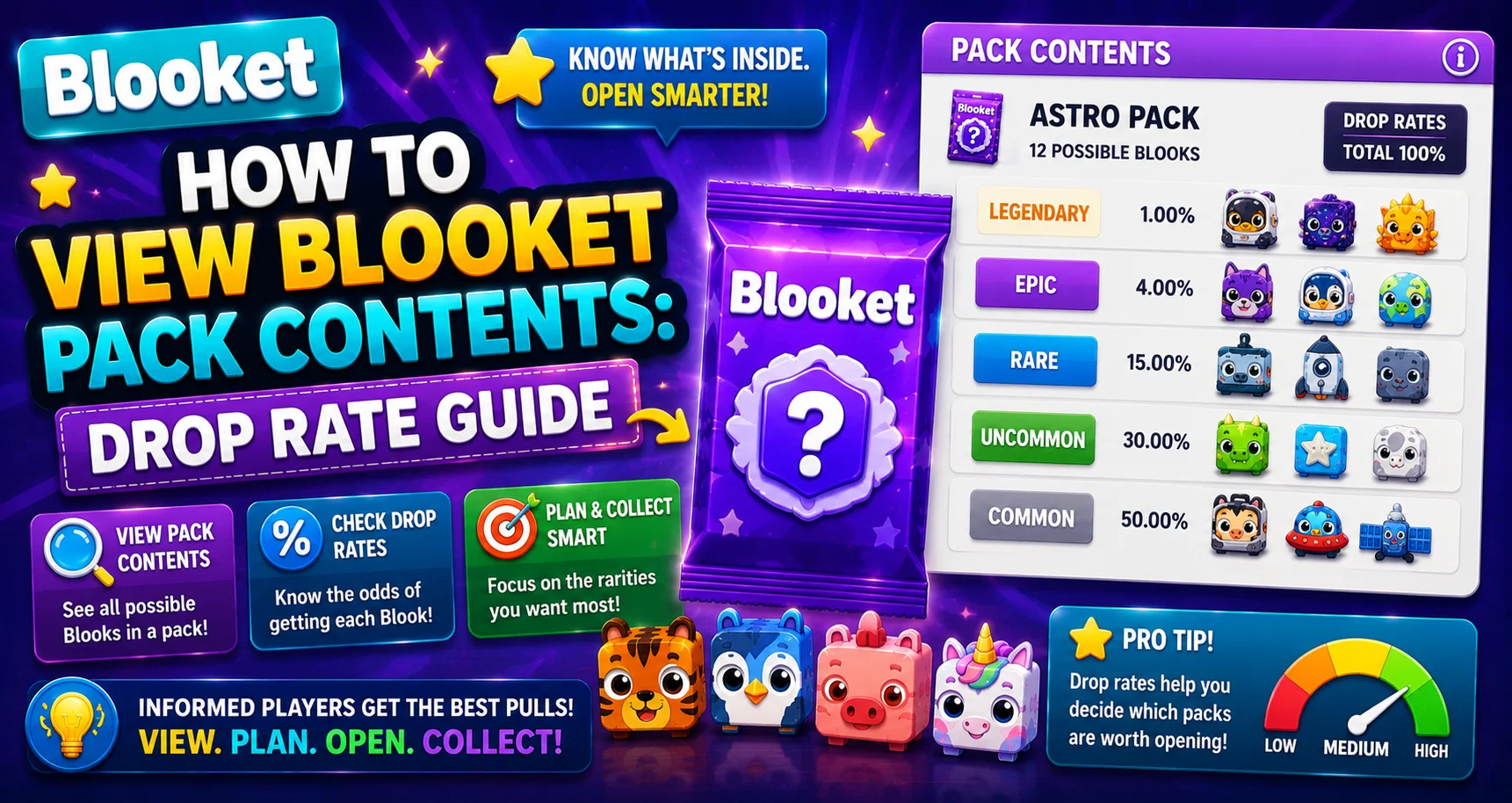
Quick Answer: To view Blooket pack contents, go to the Market, select a pack, and click Show Drop Rates. This reveals every Blook in the pack organized by rarity tier, with the exact percentage chance of pulling each one, before you spend a single token.
Source: verified from Blooket’s official documentation on viewing pack contents.
How to View Blooket Pack Contents
Before spending your hard-earned tokens on any Blooket pack, you should always check what’s inside and how likely you are to pull each Blook. The Show Drop Rates feature gives you complete transparency, showing every Blook in the pack with its exact rarity percentage before you commit a single token. This guide explains how to view Blooket pack contents and more.
Complete Overview → Blooket Blooks Collection for Students
View Blooket Pack Contents: Step-by-Step
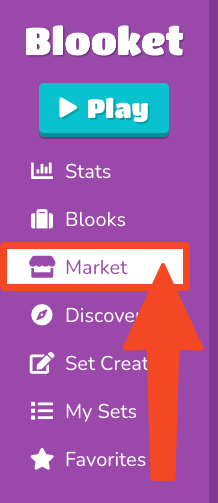
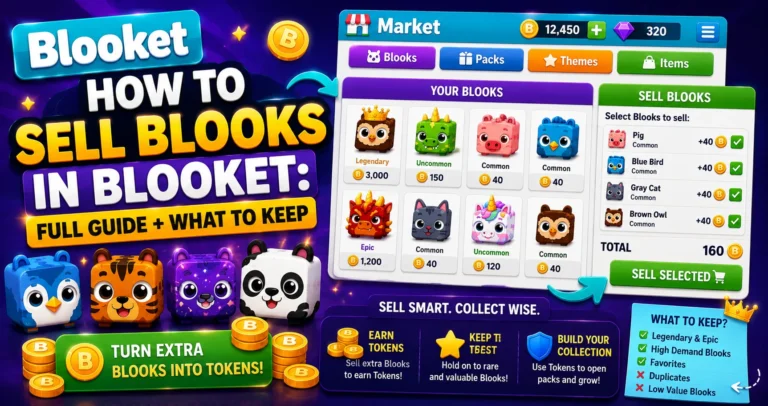
- Step 1: Navigate to the Market tab.
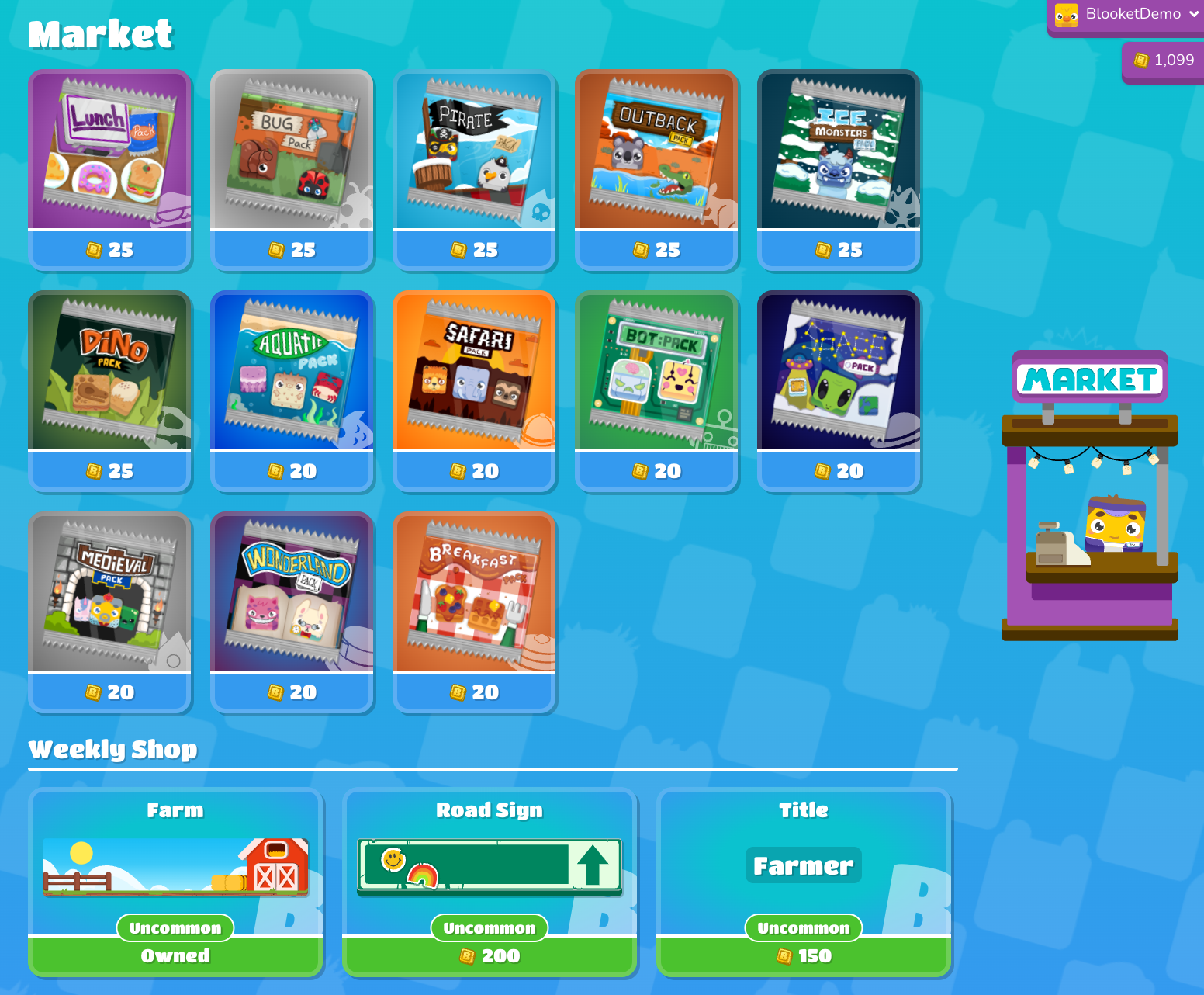
- Step 2: Select a Pack.
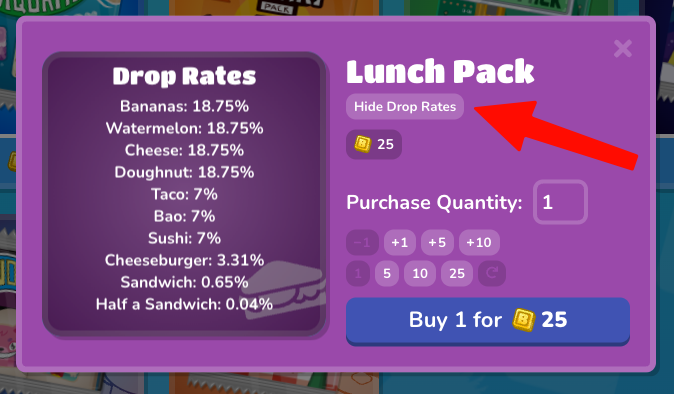
- Step 3: Click the Show Drop Rates button to view the rarity (percentage chance) for each Blook.
The drop rate display shows every Blook available from that pack, organized by rarity tier, with the percentage chance of receiving each Blook listed next to its name and image.
Open Your Packs → How to Collect Blooks in Blooket
How to Read Drop Rates?
Drop rates tell you the probability of pulling a specific Blook from a single pack.
Example: If the Legendary Blook in a pack shows a 0.8% drop rate, you have a 0.8% chance of pulling it each time you open one pack. On average, you’d need to open approximately 125 packs to expect one Legendary from that pack.
What to look for:
- Available Blooks you don’t own yet: These are the ones that will increase your Blook Score.
- Legendary or Chroma presence: Not every pack contains a Legendary. The Breakfast Pack, for example, has zero Legendaries. Check before spending.
- Seasonal pack rates: During seasonal windows (Lovely, Lucky, Spring packs), the Chroma drop rate is dramatically higher than standard packs. Checking these rates tells you exactly how good the current seasonal opportunity is.
Selling Blooks Guide → How to Sell Blooks in Blooket
Using Drop Rates to Make Smarter Decisions
→ Check every purchase before, not just new packs. If you’ve been opening the same pack for weeks and you already own every Uncommon and Rare, the only new Blooks left for you are the Epic, Legendary, and Chroma. Knowing the exact odds of pulling those helps you decide whether to keep spending on this pack or diversify to a different one.
→ Compare packs in the same cost range. Several permanent packs cost the same number of tokens but have different drop rates and Blook pools. A quick drop rate check on two or three options takes 60 seconds and can make a meaningful difference in your collecting strategy.
→ Don’t skip the seasonal pack check. Limited-time packs appear during events and are only available for a short window. The drop rate display shows what’s available and the odds, essential information before redirecting your tokens away from standard packs.
Earn Tokens & XP → How to Earn Tokens and XP in Blooket
Where to Go Next
- Want to know more about the platform? See our full Blooket guide
- Curious about what your teacher sees? Visit the Blooket For Teachers
- Want the full student guides overview? See the Blooket For Students
Have another question? Please check the Frequently Asked Questions or Blooket Help Center.
Frequently Asked Questions
Do I have to spend tokens to see a pack’s drop rates?
No. Show Drop Rates is a free preview feature. You can check the contents and odds of any pack before deciding whether to spend tokens on it.
Does every pack contain a Legendary Blook?
No. Some packs, like the Breakfast Pack, have zero Legendaries in their pool. Always check drop rates first, so you know what’s actually possible from a given pack.
What does a 0.8% drop rate actually mean for how many packs I’d need?
It means roughly a 1-in-125 chance per pack, so on average you’d need to open about 125 packs to expect one pull of that Blook, though individual results vary due to randomness.
Are seasonal pack drop rates different from standard packs?
Yes. During seasonal windows like Lovely, Lucky, or Spring packs, the Chroma drop rate is significantly higher than in standard packs, making them a strong opportunity while they last.
Should I check drop rates even for a pack I’ve bought many times before?
Yes. If you already own most of a pack’s common and rare Blooks, checking the odds for the remaining Epic, Legendary, or Chroma helps you decide whether it’s still worth your tokens or time to try a different pack.
How long does it take to compare drop rates across a few packs?
About 60 seconds per pack you check. Comparing 2 to 3 similarly priced packs is a quick habit that can meaningfully improve your collecting strategy.
Where do I go after checking a pack’s drop rates?
Straight to opening it if you’re satisfied with the odds. The Show Drop Rates screen sits right alongside the buy and open controls in the Market.