How to Sell Blooks in Blooket: Step-by-Step Guide + What to Keep
Last verified: August 20, 2026
Quick Answer: To sell Blooks, go to My Blooks, click a Blook, and choose a sell option (individual, +1, +5, +10, One Left, or Custom Quantity). Selling your last copy of a Blook requires typing its full name to confirm, and sold Blooks can never be recovered.
How to Sell Blooket Blooks
Selling duplicate Blooks is how you convert collection extras back into tokens you can reinvest in new packs to chase Blooks you don’t have yet. Done right, selling is a core part of an efficient collecting strategy. Done wrong, it’s permanent. This guide explains all the steps on how to sell Blooket Blooks and more.
⚠️ Before you read anything else: Sold Blooks cannot be recovered. Once sold, a Blook is permanently gone from your account. Read the full guide before selling anything you’re not certain about.
Complete Overview About → Blooket Blooks Collection for Students
Step-by-Step: How to Sell Blooket Blooks
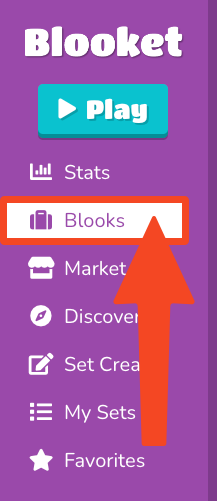
→ Step 1: Navigate to the “My Blooks” page. Click Blooks from your dashboard or main navigation.
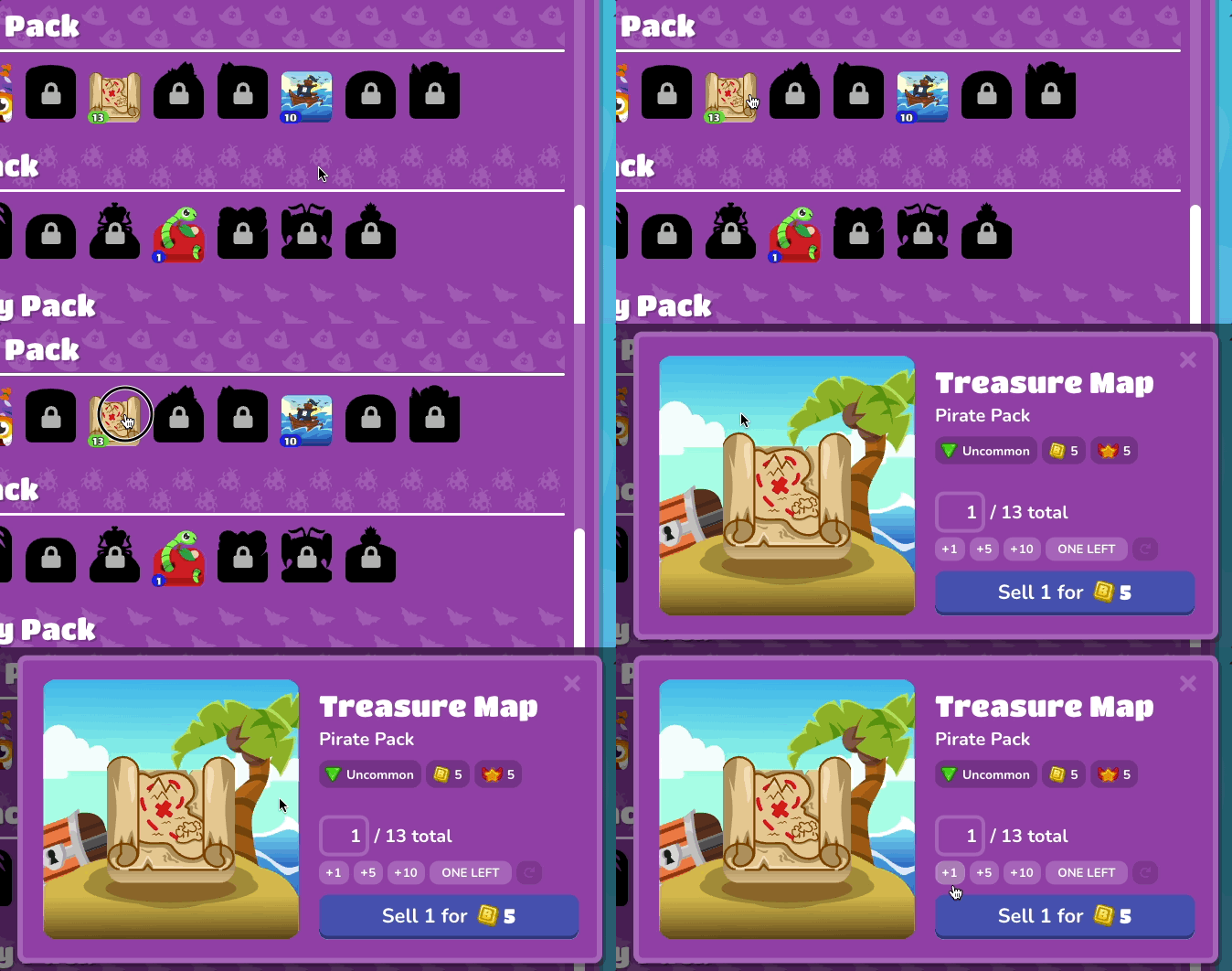
→ Step 2: Select the Blook you wish to sell by clicking on it.
Once it is selected, a modal will open with details: Name (the official Blook name), Pack (the Pack family the original Blook belongs to), Rarity (the rarity based on the drop rate or special designation), Sell Price (the tokens you will receive for selling the Blook(s)), and Blook Score (a calculated score based on rarity).
Reinvest Tokens → How to Collect Blooks in Blooket
→ Step 3: Choose your selling method:
Blooks Selling Options
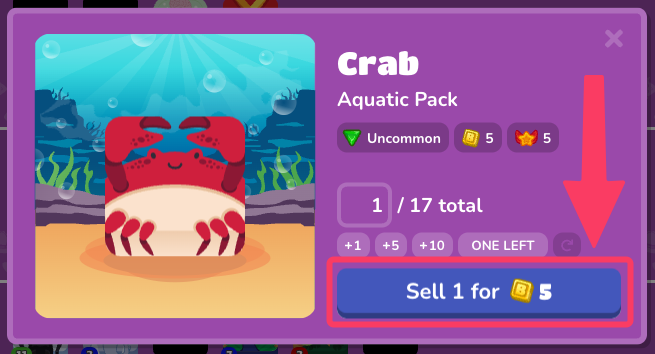
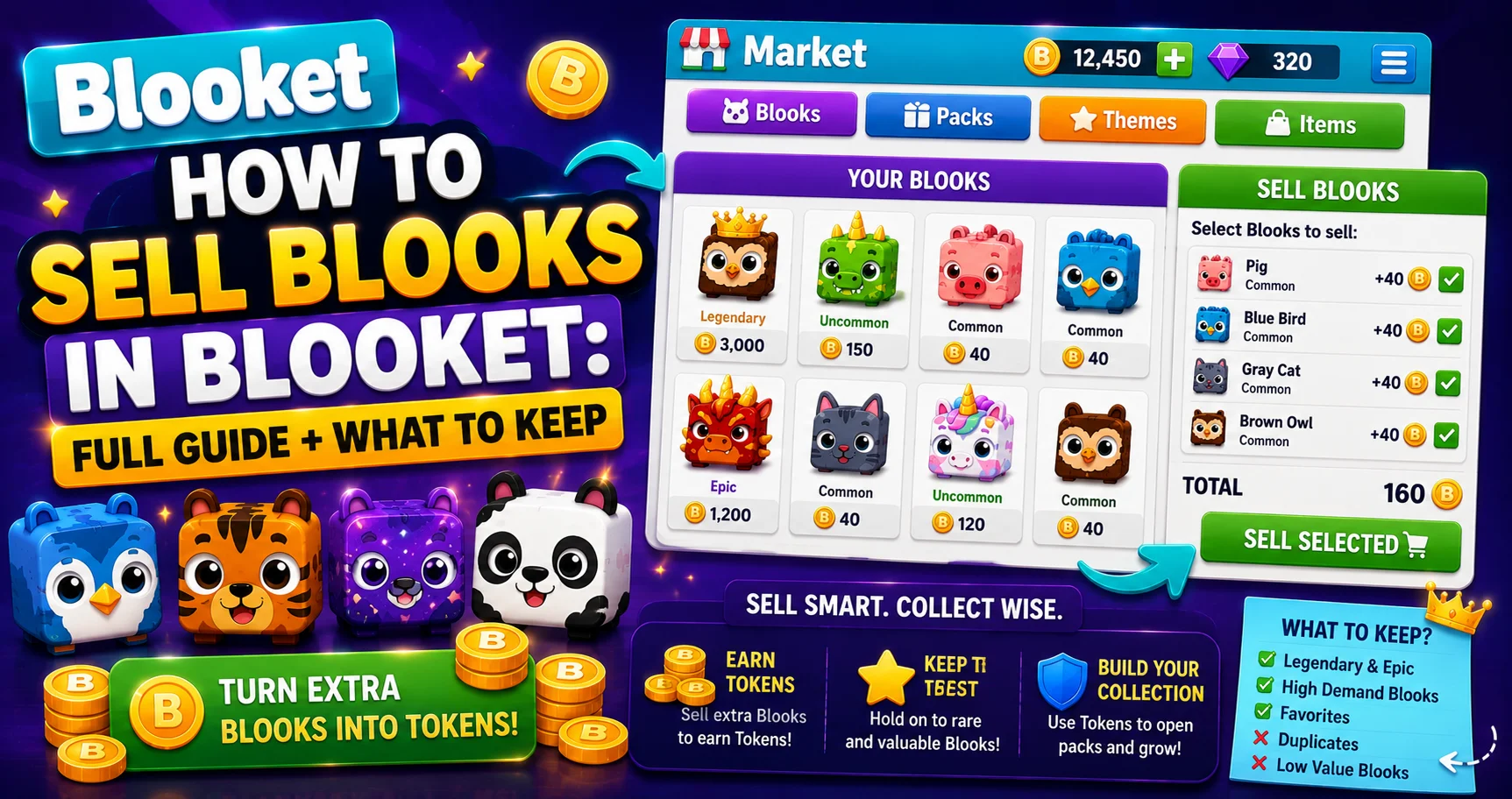
- Sell individual Blooks: To sell an individual Blook, press the Sell button to sell it at the displayed price.
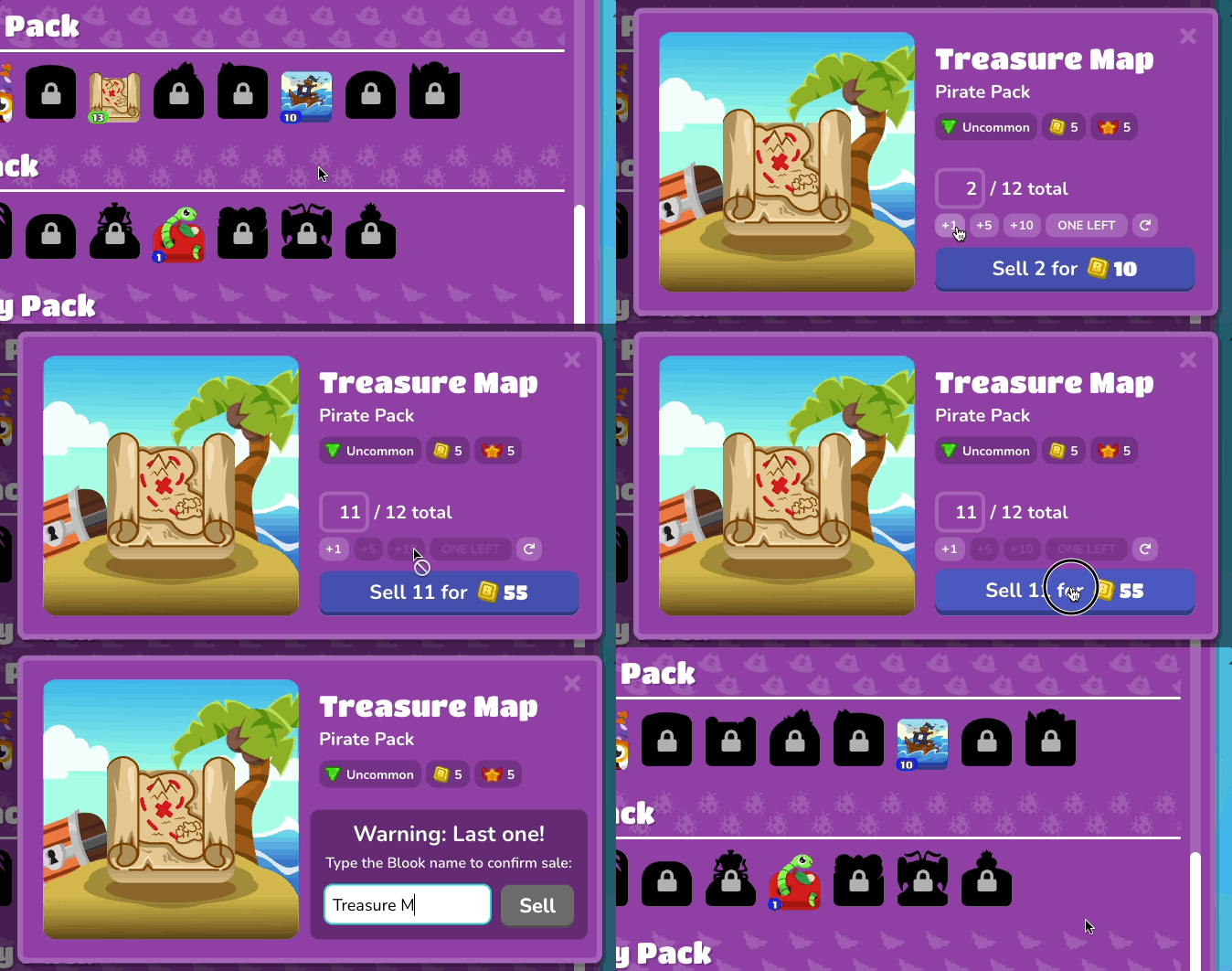
- Sell multiple Blooks: The +1 Button increases the quantity of Blooks you are selling by 1; the +5 Button increases the quantity by 5; the +10 Button increases the quantity by 10; the One Left Button retains a single Blook and sells the rest of the duplicates; Custom Quantity lets you enter a custom number into the quantity field; and Reset Values clears all values in the sell window.
Best option for most situations: The One Left button is the safest and most efficient way to sell duplicates. It automatically keeps exactly one copy of the Blook (preserving your Blook Score contribution) while selling all extras.
The Confirmation Prompt
(Read This Carefully)
When you try to sell your final copy of any Blook, the one that would remove it from your collection entirely, a special confirmation step appears.
A confirmation prompt will appear before selling the last Blook. You will need to type the Blook’s full name and select Sell before selling. This will ensure that fewer Blooks are sold by mistake, but please be cautious, as sold Blooks cannot be recovered.
This security exists for good reason. Pause before typing. Ask yourself: “Am I certain I want to remove this Blook from my collection permanently?” If the answer is yes, proceed. If there’s any doubt, click Cancel.
See Your Collection → Blooks Page Overview for Students
Keep vs Sell: A Simple Framework by Rarity
| Rarity | Action | Reason |
| Common | Cannot sell | Free defaults; no sell option exists |
| Uncommon | Sell all duplicates freely | Low sell value, accumulate fast; convert freely |
| Rare | Sell duplicates, keep one | Moderate value; keep one for Blook Score |
| Epic | Sell genuine duplicates only | Valuable; keep one of each |
| Legendary | Keep first copy; sell only true extras | High value; hard to pull again |
| Chroma | Very carefully; keep the first copy | Extremely rare; 300 to 500 token sell value |
| Unique | Rarely sell | Event/special-condition only; hard to replace |
| Mystical | Never sell | Event-exclusive; 1,000 tokens but irreplaceable |
Source: verified from Blooket’s official documentation on selling Blooks.
Where to Go Next
- Want to know more about the platform? See the Blooket guide
- Curious about what your teacher sees? Visit the Blooket For Teachers
- Want the full student guides overview? See the Blooket For Students
Have another question? Please check the Frequently Asked Questions or Blooket Help Center.
Frequently Asked Questions
Can I get a sold Blook back?
No. Sold Blooks cannot be recovered under any circumstances. There is no undo and no support option for Blook restoration.
Do sold Blooks affect my Blook Score?
Yes, if you sell your only copy. Removing your last copy of a Blook drops your Blook Score by that Blook’s contribution value. Selling duplicates (keeping one copy) does not affect the score.
Can I sell Common Blooks?
No. Common rarity Blooks have no sell option; they’re free defaults that cannot be monetized.
What’s the safest way to sell a lot of duplicates at once?
The One Left button. It automatically keeps exactly one copy of a Blook for your Blook Score while selling every extra, so you never risk accidentally selling your last copy.
Why does Blooket make me type the Blook’s name before selling my last copy?
It’s a deliberate safeguard against permanent mistakes. Since sold Blooks can never be recovered, typing the full name forces a moment of certainty before an irreversible action.
Should I ever sell a Legendary or Chroma Blook?
Only genuine duplicates, and only after keeping at least one copy. These rarities are hard to pull again, so think carefully before selling, especially your first or only copy.
What should I do if I’m not sure whether to sell a Blook?
Click Cancel on the confirmation prompt and wait. Since selling is permanent, it’s always safer to hold onto a Blook you’re uncertain about than to sell it and regret the decision later.